
Desk Setup Guide for Canberra Office Workers
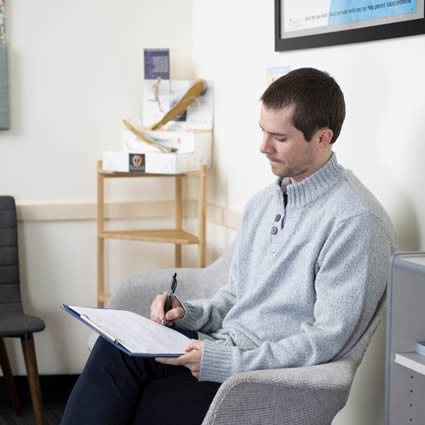
Few cities sit at a desk quite like Canberra does. With a workforce dominated by office and public-service roles, a huge share of us spend the day at a keyboard, and our backs and necks pay the price. The good news is that a proper setup takes only about ten minutes and costs next to nothing. This practical guide walks you through it, in the office and working from home, and shows when a nagging desk ache needs proper posture correction rather than another gadget.
We will cover the quick chair-screen-keyboard fix, an audit for home and hybrid setups, whether sit-stand desks live up to the hype, the micro-breaks that genuinely help, and how to tell when desk pain has moved beyond an ergonomics problem. No jargon, just what actually works.
Before we dive in, one reassuring reframe. It is tempting to imagine there is a single, perfect posture you must hold rigidly to avoid harm, and that any deviation is quietly damaging you. That is not how bodies work, and chasing that ideal only makes you tense. Spines are strong and adaptable, and the aim is not statue-like perfection but a comfortable, well-supported default plus plenty of movement. So read the following not as a strict set of rules to obey anxiously, but as a way to make your working day kinder to your neck and back. Get the big things roughly right, move often, and you have done the important part.
Why Canberra Desks Cause More Trouble Than Most (Australia's Biggest Office Town)
Canberra has one of the highest concentrations of office and public-sector desk work in Australia, so a large proportion of its residents sit for long hours most days. Prolonged sitting with poor setup loads the neck and lower back and stiffens the whole body. The volume of desk time here makes getting your workstation right especially worthwhile.
Canberra is, in a very real sense, a city built around the desk. As the seat of the federal public service, it has an unusually high proportion of office-based and administrative work compared with most Australian cities, which means an unusually large share of the population spends the bulk of the working week seated at a screen. Add the long, cold winters that keep us indoors and less active, and you have a recipe for a lot of stiff, sore spines.
The issue is not that sitting is uniquely dangerous, it is not, but that sitting still, in a poorly arranged position, for hours on end, day after day, adds up. Prolonged static postures load the same structures continuously, let the supporting muscles switch off and weaken, and allow the neck and lower back to drift into strained positions that they then hold for hours. Over months and years, that steady, low-grade loading is a major driver of the desk-related neck and back pain we see so often in Canberra workers. The encouraging flip side is that because the cause is so mechanical and so modifiable, a better setup and a few habits can make a genuine difference, which is exactly what the rest of this guide delivers.
Chair, Screen, Keyboard: The Ten-Minute Setup
A good basic setup takes about ten minutes: set your chair so your feet are flat and your knees roughly level with your hips, support your lower back, raise your screen so the top is at about eye level and an arm's length away, and keep your keyboard and mouse close so your elbows stay near your sides at about 90 degrees.
Here is the core setup, well worth ten minutes of your time and applicable at almost any desk. Simply work through it from the ground up.
- Chair height. Adjust it so your feet rest flat on the floor (or a footrest) and your knees are roughly level with, or a touch below, your hips. Your thighs should be supported without pressure behind the knees.
- Back support. Sit back into the chair so it supports your lower back's natural curve. If the chair lacks lumbar support, a small cushion or rolled towel in the lower back helps.
- Screen height. Raise your monitor so the top of the screen is at about eye level, and position it roughly an arm's length away. You should look slightly down at the centre, without tilting your head. Laptop users almost always need a stand plus a separate keyboard.
- Keyboard and mouse. Keep them close enough that your elbows stay near your sides, bent at about 90 degrees, with your wrists straight and relaxed rather than reaching forward.
- Head and shoulders. With the above in place, your ears should sit roughly over your shoulders, and your shoulders relaxed, not hunched. That neutral head position is what takes the strain off your neck.
That is genuinely most of it. The single biggest mistake, especially for the legions of laptop workers, is a screen that is too low, which drags the head and neck forward into the classic strained posture. Fixing screen height alone often makes a striking difference to neck comfort.
A couple of extra refinements are worth knowing once the basics are sorted. If your desk is too high and cannot be lowered, raising your chair and adding a footrest keeps your arms and wrists comfortable without leaving your feet dangling. If you take a lot of phone calls while typing, a headset saves you cradling the phone between ear and shoulder, a classic and entirely avoidable cause of one-sided neck pain. And position whatever you look at most, your main screen or a document you are copying from, directly in front of you rather than off to one side, so you are not spending the day gently twisted toward it. None of these is essential, but together they iron out the small, repeated strains that a busy working week can turn into a genuine ache.
The WFH Setup Audit for APS and Hybrid Workers
Working from home, audit your setup honestly: are you at a proper desk and chair, or hunched over a laptop on the sofa or kitchen bench? Recreate the ten-minute setup as best you can, raise the laptop and add a separate keyboard and mouse, and avoid working from soft furniture for long stretches. Even a few borrowed items make a real difference.
Hybrid work is now the norm for a great many Canberra public servants and office workers, and while the flexibility is welcome, home setups are often far worse than the office equivalent. The office at least provides an adjustable chair and a monitor; at home, people end up perched at the kitchen bench, slumped on the couch with a laptop, or hunched over a dining table on a hard chair. Your body cannot tell whether you are being productive; it only knows it has been held in an awkward position for three hours.
Run an honest audit of your home workspace. Are you using a proper chair that supports your back, or whatever was nearest? Is your screen at eye level, or are you looking down at a laptop all day? Are your keyboard and mouse positioned so your shoulders can relax? You do not need to spend a fortune to fix this. A stack of books can raise a laptop to eye level; an inexpensive separate keyboard and mouse then let you type comfortably; a cushion can improve a hard chair. The goal is simply to recreate that ten-minute setup as closely as your home allows, and to avoid working from the sofa or bed for long stretches, which offer no support at all. If your employer offers a workstation assessment or a stipend for home equipment, as many public-sector roles do, it is well worth taking up.
One further trap of home working is worth naming: the disappearance of the natural movement that an office builds into your day. In an office you walk to meetings, to a colleague's desk, to the printer, to a further-away kitchen, and those incidental journeys add up to a lot of movement. At home, everything is a few steps away, so you can genuinely sit for hours without meaning to. That makes the deliberate movement breaks we come to shortly even more important when you work from home. It can help to manufacture a little of the lost activity too: take calls while walking around, use a bathroom or make a drink on a different level of the house if you have one, and step outside for a short walk at lunch. The convenience of home is lovely, but your spine benefits from a bit of the built-in movement the office used to provide.
Sit-Stand Desks: Worth It or Hype?
Sit-stand desks can help, not because standing is magically better than sitting, but because they make it easy to change position regularly, and movement is what your body craves. The benefit comes from alternating, not from standing all day, which brings its own aches. If you have access to one, use it to vary your posture; if not, regular movement breaks achieve much the same.
Sit-stand desks have been enthusiastically adopted across many Canberra workplaces, and it is fair to ask whether they earn their keep. The honest answer is a qualified yes, but for a reason often misunderstood. Standing is not inherently better for your spine than sitting; stand rigidly all day and you will simply swap sitting aches for standing ones, sore feet, legs and lower back. The real value of a sit-stand desk is that it makes changing position effortless, and it is the changing, the movement between postures, that helps.
Our bodies are built to move and dislike being held in any single position for too long, sitting or standing. So the best way to use a sit-stand desk is to alternate regularly, perhaps sitting for a stretch, standing for a while, then sitting again, so that no one posture is sustained for hours. Used that way, it is a genuinely useful tool. If your workplace does not provide one, do not feel you are missing out on a cure; you can achieve much the same benefit by simply getting up and moving regularly through the day, which is the subject of the next section. The desk is a convenience, not a magic bullet; movement is the active ingredient.
Micro-Breaks That Undo Desk Damage
Short, frequent movement breaks are the single most effective habit for desk workers. Every 30 to 60 minutes, stand, stretch, roll your shoulders, and move for a minute or two. These micro-breaks reset your posture, restore circulation and stop stiffness building. They matter more than any single ergonomic tweak, because no posture is good if you hold it too long.
If you take one thing from this guide, make it this: the best posture is your next posture. No matter how perfectly your desk is set up, holding any position for hours is the real problem, and the antidote is regular movement. Micro-breaks, short, frequent interruptions to your sitting, are the most powerful habit a desk worker can build, and they cost nothing but a little attention.
Aim to move for a minute or two every thirty to sixty minutes. You do not need a gym; simply stand up, roll your shoulders back a few times, gently look up and around to reverse the forward-head desk posture, do a standing back extension or a gentle twist, and walk to refill your water or take a call on your feet. Setting a quiet reminder, or habit-stacking these breaks onto natural triggers like the end of a meeting or a new email, helps them stick. These brief resets restore circulation, wake up the muscles that switch off when you sit, and stop the slow accumulation of stiffness that turns a comfortable morning into a sore afternoon. They also, incidentally, tend to sharpen your focus, so they are good for your work as well as your spine. Combined with the antidote to phone slouching we cover under text neck, regular movement is the closest thing there is to a free treatment for desk-related pain.
When Desk Pain Needs Assessment, Not Another Cushion
If desk-related neck or back pain persists despite a good setup and regular breaks, keeps returning, radiates into an arm or leg, or comes with numbness or weakness, it is time for an assessment rather than another gadget. A professional can identify the underlying problem, treat it, and give you a tailored plan, which is often what a stubborn desk ache actually needs.
Ergonomic tweaks and movement breaks resolve a great deal of desk-related discomfort, but they are not a cure for everything, and it is easy to fall into an expensive cycle of buying yet another cushion, chair or gadget in the hope of fixing a pain that will not budge. If you have genuinely optimised your setup and built in regular movement, yet your neck or back pain persists, keeps coming back, or is getting worse, that is a signal the problem has moved beyond ergonomics and deserves a proper look.
Certain features make an assessment more pressing: pain that radiates from your neck into an arm or from your back into a leg, any numbness, pins and needles or weakness, or headaches that build through the working day. These suggest a specific structure, a joint, muscle or nerve, needs addressing directly, which no cushion will do. A chiropractor can assess what is actually driving your pain, provide hands-on treatment to settle it, and combine that with practical, individualised advice on your setup and movement. And this is where the local, everyday nature of the problem becomes an advantage: because we see so many Canberra desk workers, we understand the specific postural loads the work creates and how to unwind them.
In short, set up your desk well, move often, and use the tools available to you, and you will spare yourself a great deal of the neck and back pain that comes with our desk-bound city. But if pain persists despite doing the right things, do not keep shopping for a fix, get assessed. Your spine, and your working days, will be the better for it.
Bring a Photo of Your Desk to Your Assessment
Snap a photo of yourself at your desk and bring it along. We will assess your posture, treat the pain, and give you tailored setup advice for the way you actually work. Book with our Canberra team.
Book a Posture Assessment Posture CareDisclaimer: This article gives general ergonomic and posture guidance, not individual medical advice. Persistent, severe or worsening pain, or any numbness, weakness or pain radiating into a limb, should be assessed by a professional. Chiropractic in Australia is regulated by AHPRA.